# Qore
### 1. **Overview:**
```
https://www.qore.so/auth/signin?pre_oauth_redirect=%2F
```
**Qore** is an integrated **data orchestration, workflow automation, and collaboration platform** designed to unify the full lifecycle of data — from ingestion, transformation, and validation to governance, modeling, and deployment.
It allows both **data engineers and non-developers** to manage data pipelines, monitor processes, and develop quant models in a single environment — without needing to stitch together multiple tools (like Airflow, S3, Git, Slack, etc.) manually.
**Core Value Proposition:**
* Unified space for **data storage & access**
* Workflow-based **ETL / automation orchestration**
* Built-in **data governance and ownership**
* Integrated **modeling, backtesting, and monitoring** environment
* AI & LLM **automation-ready** structure
***
### **2. Architecture & Core Concepts**
Qore is built around three key structural layers:
#### **2.1. Organization**
* A **logical container** that separates projects, data, and permissions.
* Think of an organization as an isolated tenant or team environment (e.g., Quantit-Model).
* Organizations own resources like workspaces, drives, and members.
#### **2.2. Workspace**
A **workspace** is the central working environment where you build, manage, and run workflows.
* Each workspace contains:
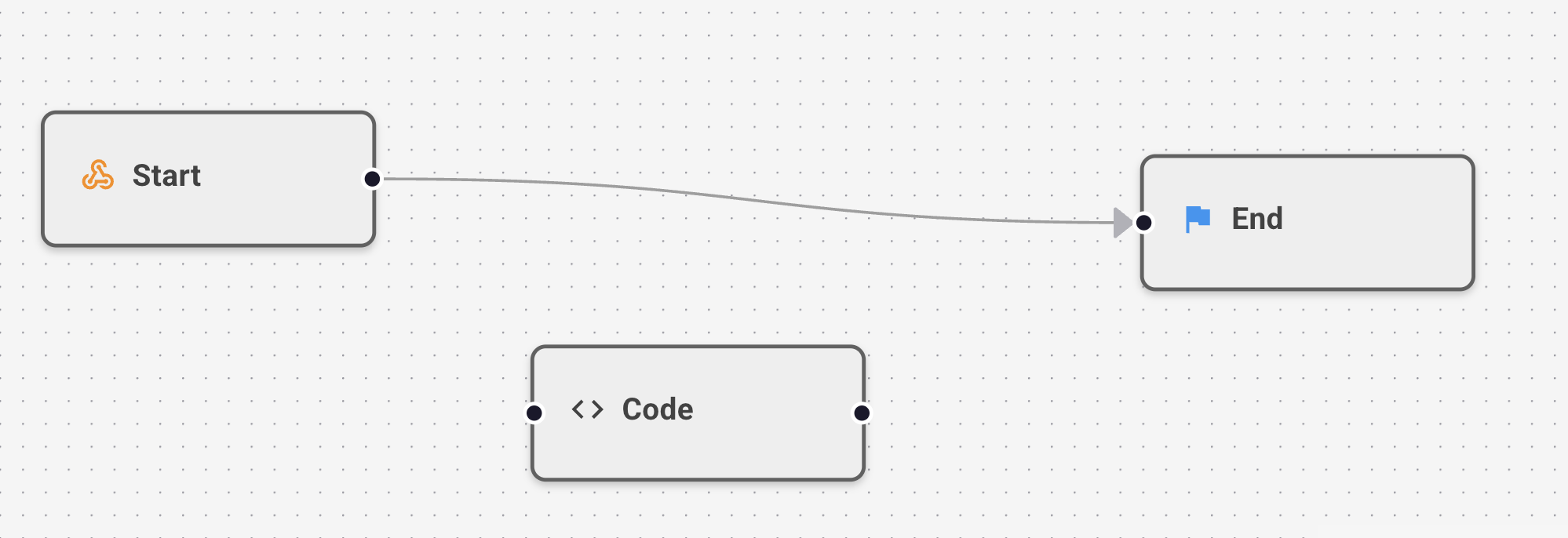
* **Workflows:** Directed pipelines composed of nodes (e.g., data load, transform, model run, Slack notification)
* **Members:** Team members with defined roles (viewer, editor, owner)
* You can think of a workspace as a “project” or “notebook” containing multiple pipelines.
#### **2.3. Drive**
The **Drive** is Qore’s built-in object storage system — conceptually similar to Google Drive or AWS S3 but tightly integrated with workflows and governance.
* You can upload, store, and share any file (CSV, Parquet, JSON, etc.)
* Each file/folder has its own permissions, audit trail, and owner
* Drive ensures compliance (e.g., PII, governance logging) and prevents unauthorized access
*Typical Use Case:*
* Upload external data (e.g., Bloomberg CSV)
* Retrieve from workflow nodes for ETL
* Export model results directly into Drive for sharing
***
### **3. API Key & Authentication**
Before using Qore programmatically (via SDK or API), you must generate an **Access Key** and **Secret Key**:
* Navigate to **Organization → Settings → API Keys**
* Generate new keys (can be revoked anytime)
* Store them securely (e.g., in .env)
```
Access Key: @@@@
Secret Key: @@@@
```
### **4. Qore Drive Usage**
**Upload a file:**
```python
import json
from io import BytesIO
import pandas as pd
from qore_client import QoreClient
FOLDER_ID = "Rm9sZGVyOjEyMg" # If you create a folder in Drive, its folder ID will be generated.
with QoreClient(
access_key="@@@@",
secret_key= "@@@@"
) as qc:
sample_df = pd.DataFrame({"a": [1, 2, 3]}) # sample dataframe 을 가져다가
# Upload DataFrame as parquet
parquet_response = qc.put_file(
BytesIO(sample_df.to_parquet()), "sample.parquet", folder_id=FOLDER_ID
) # 인메모리는 이제 바이트 아이오로 넘기면 된다. 파케로 바로 올리고 싶으면 이 문법이다.
print(f"Parquet upload response: {parquet_response}")
# Upload DataFrame as CSV
csv_response = qc.put_file(
BytesIO(sample_df.to_csv().encode()), "sample.csv", folder_id=FOLDER_ID
) # csv 로 올리고 싶으면 이 문법 쓰면 된다.
print(f"CSV upload response: {csv_response}")
# Upload dictionary as JSON
sample_dict = {"a": [1, 2, 3]}
json_response = qc.put_file(
BytesIO(json.dumps(sample_dict).encode()), "sample.json", folder_id=FOLDER_ID
)
print(f"JSON upload response: {json_response}")
Download parquet file
parquet_file = qc.get_file(parquet_response["id"])
df = pd.read_parquet(parquet_file)
print(f"Downloaded parquet file: {df}")
# Download csv file
csv_file = qc.get_file(csv_response["id"])
df = pd.read_csv(csv_file)
print(f"Downloaded csv file: {df}")
# Download json file
json_file = qc.get_file(json_response["id"])
df = pd.read_json(json_file)
print(f"Downloaded json file: {df}")
# Convert to dictionary
json_file = qc.get_file(json_response["id"])
data = json.loads(json_file.read())
print(f"Downloaded json file: {data}")
```
**Download a file:**
```
file_bytes = qc.get_file("FileID")
df = pd.read_parquet(file_bytes)
```
Supported formats: CSV, Parquet, JSON, Excel, etc.
FOLDER\_ID is a **unique identifier** automatically assigned to every folder you create inside **Qore Drive**. It tells the SDK **exactly where to store or retrieve your files** within your organization’s storage space.
You don’t generate the FOLDER\_ID yourself — it’s created automatically when you make a new folder in the Qore web console. Here’s how to get one:
1. Go to the **Drive** tab in the Qore web UI.
2. Click **“+ New Folder”** to create a folder (e.g., sample-data).
3. Click on the folder — its unique ID will be shown in the folder details or URL.
4. Copy this ID and use it in your SDK code as FOLDER\_ID.
***
### **5. Practical Workflows**
#### **5.1. Data Sharing**
**Concept:** Invite external users → grant workspace access → share Drive data.
* Easily collaborate across teams or with clients.
* Control who can view or edit each file or workflow.
**Export & Import Workflows:**
* Export any workflow as JSON
* Import into another workspace for reuse
#### **5.2. SDK Integration**
Using qore\_client, you can programmatically interact with Qore — perfect for integrating with external ETL scripts, quant research pipelines, or client data push systems.
Key SDK functions:
* put\_file() – upload CSV/Parquet/JSON
* get\_file() – download and read files
* get\_dataframe() – directly return pandas DataFrame
#### **5.3. Monitoring & Slack Alerts**
Qore integrates directly with Slack via Webhooks for real-time data monitoring.
**Use Case Example:**
* Detect anomalies (missing dates, duplicate columns, outliers)
* Generate validation reports
* Automatically post summary messages to Slack
```
report = monitor_dataframe(df)
post_report_to_slack(report, model_name, webhook_url)
```
This enables daily monitoring of ingestion pipelines and immediate anomaly detection.
#### **5.4. ETL Pipeline**
Data transformation workflows follow a standard pattern:
1. **Load** – fetch file from Drive
2. **Transform** – apply business logic / clean data
3. **Save** – store result back into Drive or pass to model
ETL nodes are written in Python and can be fully customized.
This design replaces legacy SQL-heavy ETL flows with reproducible, version-controlled pipelines.
#### **5.5. LLM Integration**
Qore supports LLM (Large Language Model) nodes for automated tasks such as:
* Markdown report generation
* CM catalog creation
* Text summarization and labeling
Future versions will support external API-triggered LLM pipelines for auto-reporting and model commentary generation.
#### **5.6. Backtesting & Visualization**
Workflows can include backtesting nodes using the FINTER library.
Visual outputs (plots, PnL curves) will soon be natively supported inside the Qore terminal.
***
### **6. Alpha Modeling with Qore**
One of Qore’s most powerful features is **direct alpha development and deployment** within the workflow environment.
#### Loading External Data from Qore Drive
Before running your Alpha, you can import reference data (e.g., benchmark weights, sector lists, factor inputs) directly from Qore Drive.
1. Upload your reference file to Qore Drive (e.g., `factors.xlsx`)
2. Copy its **file ID** from the Drive UI
3. Load it using `QoreClient`:
```python
from qore_client import QoreClient
import pandas as pd
qc = QoreClient("API-Access-Token")
# Load Excel data stored in Drive
factor_df = pd.read_excel(qc.get_file("RmlsZToxNzE"), sheet_name='BSC10')
```
You can now integrate `factor_df` into your Alpha generation logic.\
This allows your Alpha to dynamically pull the latest uploaded data from Qore Drive, ensuring reproducibility and centralized data access.
#### **Example: Momentum-Based Alpha**
```python
from datetime import datetime, timedelta
import pandas as pd
from finter import BaseAlpha
from finter.data import ContentFactory
from qore_client import QoreClient
def calculate_previous_start_date(start_date, lookback_days):
start = datetime.strptime(str(start_date), "%Y%m%d")
previous_start = start - timedelta(days=lookback_days)
return int(previous_start.strftime("%Y%m%d"))
# Method to convert daily position to weekly, monthly, quarterly, yearly position
def retain_first_of_period(data: pd.Series, period: str) -> pd.Series:
tmp = data.index[-2:-1].append(data.index[0:-1])
mask = data.index.to_period(period) != tmp.to_period(period)
return data[mask]
# Define the lookback period in days
LOOKBACK_DAYS = 730
# Alpha class inheriting from BaseAlpha
class Alpha(BaseAlpha):
# Method to generate alpha
def get(self, start, end):
# Calculate the start date for data retrieval
pre_start = calculate_previous_start_date(start, LOOKBACK_DAYS)
#####################################################################################
cf = ContentFactory("kr_stock", pre_start, end)
close = cf.get_df("price_close") # get price_close data
mkt_cap = cf.get_df("mkt_cap") # get market_cap data
cap_rank = mkt_cap.rank(axis=1, ascending=False)
cap_mask = (
retain_first_of_period(cap_rank <= 30, "Q").reindex(close.index).ffill()
) # Get cap_mask. For a detailed explanation, please refer to the '[Alphathon1] benchmark' code.
close_before_12m = close.shift(252) # the price before 12 months
close_before_1m = close.shift(21) # the price before 1 month
self.momentum = (
close_before_1m - close_before_12m
) / close_before_12m # calculate (t-12m ~ t-1m) momentum
self.momentum = self.momentum[
self.momentum > 0
] # Use only the stocks with positive momentum.
momentum = (
retain_first_of_period(self.momentum[cap_mask], "W").reindex(close.index).ffill(limit=7)
) # Retain only the first momentum value of target stocks of each week.
with QoreClient(
access_key=access_key
secret_key=secret_key
) as qc:
from io import BytesIO
FOLDER_ID = "Rm9sZGVyOjQx"
qc.put_file(BytesIO(momentum.to_parquet()), "momentum.parquet", folder_id=FOLDER_ID)
stock_ratio = momentum.div(
momentum.sum(axis=1), axis=0
) # Construct the position proportionally to the momentum value
##############################################################################|#######
self.close = close
position = stock_ratio * 1e8
# Shift positions to avoid look-ahead bias
alpha = position.shift(1)
return alpha.loc[str(start) : str(end)].fillna(0)
##
from finter import JupyterLabSubmission
JupyterLabSubmission()
##
from qore_client import QoreClient
pd.read_parquet(QoreClient().get_file("RmlsZToxNzE")).dropna(how='all', axis=1)
```
* Store results directly in Drive and re-use across pipelines.
* Combine with Sharia filter, cap mask, and fundamental filters.
* Export/import alpha pipelines for collaboration or review.
.png?alt=media)